There is no single wine app that fits every use. Some help identify a bottle from a photo, some organize community reviews, and others let you keep tastings, manage a cellar, or use your own history as a reference.
This 2026 comparison looks at Enolisa, Vivino, Delectable, CellarTracker, and Hello Vino through specific tasks, so you can choose by function rather than popularity alone.
Quick comparison
| App | Main focus | Label scanning | Tastings and history | Cellar | Recommendations |
|---|---|---|---|---|---|
| Enolisa | Personal wine tracking | Yes | Structured and private journal | Yes | Informed by your history and profile |
| Vivino | Community, cellar, and discovery | Yes | Scans, ratings, and reviews saved to profile | Inventory and drinking windows | Personalized, plus AI Sommelier in Premium |
| Delectable | Social discovery | Yes | Social notes and posts | Check current features | Through community and experts |
| CellarTracker | Inventory and wine tracking | Wine, label, and barcode scanning | Personal notes, reviews, and ratings | Highly detailed, with drinking guidance | Personalized from ratings, with AI features |
| Hello Vino | Occasion and food guidance | Check current features | Check current features | Check current features | Based on drinking context |
Features were checked against the official Vivino app page and CellarTracker App Store listing. Plans and regional availability can change, so check the current listing before choosing.
What we compared
- Tasting records: how easily you can save an experience and use it later.
- Photo and label identification: how quickly you can recognize a bottle and review its details.
- Wine learning: the context provided and how well it connects with your own references.
- Cellar management: control over bottles, quantities, and status.
- Discovery: community, recommendations, or affinity with your personal history.
- Everyday use: clarity, privacy, and the number of steps required.
1. Enolisa: tastings, cellar, and personal references
Best suited to: keeping bottles, tastings, and personal recommendations in one place.
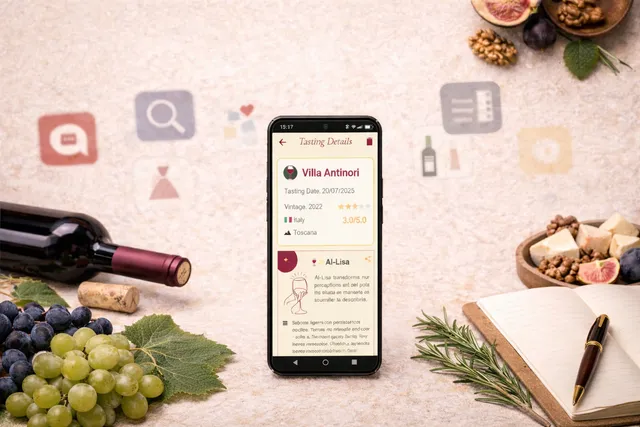
Enolisa lets you scan labels, record wines and tastings, organize a digital cellar, and revisit your history. AI-Lisa uses information from your palate profile and saved experiences to provide recommendations and pairing ideas connected with your preferences.
Its experience is private and does not require publishing tastings to a social network or buying wine through the app. It is therefore a practical fit when you want continuity between what you tasted, what you have stored, and what remains on your discovery list.
See the full workflows in how to scan a wine label and how to record a wine tasting.
2. Vivino: community and label recognition
Best suited to: checking other users' ratings and identifying wines from a label.
Vivino combines a broad catalog, label scanning, ratings, and community-generated content. Scans, reviews, orders, and saved wines remain available in the user's profile.
Its renewed Cellar can organize inventory by grape, style, food pairing, and drinking window. Vivino also presents AI Sommelier as part of Premium, combining a user's taste profile with platform data to answer questions and recommend wines.
3. Delectable: social discovery
Best suited to: following wine professionals, friends, and other enthusiasts.
Delectable approaches wine as a social experience. Its posts and tasting notes help you discover what other people are drinking and keep references connected with that community.
In this comparison, it offers a direct way to find producers, labels, and commentary in a social setting.
4. CellarTracker: detailed inventory
Best suited to: larger collections that require stock control and technical tracking.
CellarTracker stands out for the depth of its inventory tools and a community with extensive tasting notes. Bottles can be added through wine, label, or barcode scanning, while locations, deliveries, and collection history can be documented in detail.
It also provides drinking-window guidance, personalized recommendations informed by ratings, and AI features for questions about pairings or inventory. Its depth makes it particularly suitable for people who want extensive collection tracking.
5. Hello Vino: guidance by food or occasion
Best suited to: finding straightforward suggestions for a meal or a specific situation.
Hello Vino structures exploration around practical questions, such as which style might pair with a dish. This makes it useful for a quick consultation and for adding context around wine styles and pairings.
In this comparison, immediate guidance is its defining use. Check its current features if you also need inventory or tasting-history tools.
Which wine app fits your goal?
- Record tastings and keep personal references: Enolisa.
- Identify a wine from a photo or label: Enolisa, Vivino, or CellarTracker; then review the recognized information.
- Learn from the wines you encounter: Enolisa connects tastings, cellar records, and a palate profile. You can also explore wine tasting notes in an app.
- Browse ratings from a broad community: Vivino.
- Follow professionals and share discoveries: Delectable.
- Manage a collection with deep inventory, scanning, and drinking guidance: CellarTracker.
- Get quick guidance for food or an occasion: Hello Vino.
Start with the task you expect to repeat most often—scanning a label, recording a tasting, or locating a bottle in your cellar—and check whether the app preserves the information with the detail you need.
To try Enolisa with your wines and tasting notes, download Enolisa on the App Store or on Google Play.